
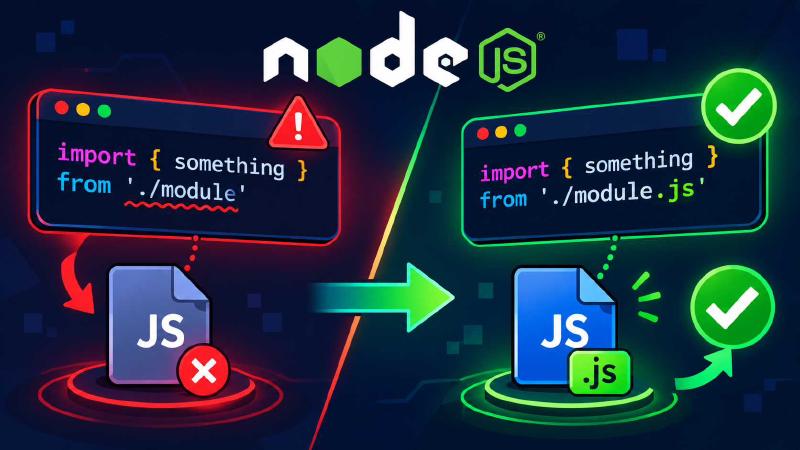
I added "type": "module" to package.json, restarted the app, and the terminal filled up with errors. The first one looked like this:
Error [ERR_MODULE_NOT_FOUND]: Cannot find module '/app/config/db' imported from /app/index.jsThe file was right there. It hadn’t moved, been renamed, or been deleted. The next restart brought __dirname is not defined, and after that require is not defined. Nothing was broken. Node had stopped covering for me.
What changed when you flipped the switch #
One line in package.json changes which loader Node uses for every .js file under it. The old loader was forgiving. It probed for missing extensions, resolved directories to their index.js, and wrapped each file in a function that handed you require, module, exports, __filename and __dirname for free. The ESM loader does none of that. You get top-level await and the standard module system in exchange, and you pay for it in strictness.
Without the field, Node doesn’t just assume CommonJS either. Recent releases try a .js file as CommonJS first, and if it fails to parse because of ESM syntax, they run it as ESM instead. That fallback costs a little performance for ES modules, and adding "type": "module" to the nearest package.json removes the cost. So the field is the right move. You just have to finish the job it starts.
Missing extensions and directory imports #
ERR_MODULE_NOT_FOUND after this change almost always means a relative import without a file extension. In CommonJS, require('./utils') made Node probe for utils.js, utils.json and utils/index.js. ESM doesn’t probe. When you use import with a relative or absolute path, you have to include the file extension, and directory indexes have to be spelled out in full too. The reason is that this matches how import behaves in browsers, assuming a typically configured server. A URL points at a file, and the loader doesn’t guess.
// Breaks
import { connectDB } from './config/db';
import { User } from './models';

// Works
import { connectDB } from './config/db.js';
import { User } from './models/index.js';
The second import fails with a different error: ERR_UNSUPPORTED_DIR_IMPORT, because ESM doesn’t support importing a directory and expects a file reference with its extension. The same rule applies to deep imports into packages. If you reach into a package with something like lodash/get, you’ll need the full file path.
If your source is TypeScript compiled to ESM, the import paths still end in .js, even though the file on disk is .ts. In nodenext mode, relative imports missing the extension fail, and the emitted output has to match what Node requires at runtime. TypeScript 5.7 added an option for people who would rather write .ts in their imports. --rewriteRelativeImportExtensions rewrites relative .ts paths to .js when it compiles, and it only touches relative paths.
Getting __dirname and __filename back
#
ESM modules don’t run inside that old wrapper function, so those two variables don’t exist. Referencing them throws a ReferenceError. The modern fix is built in: import.meta.dirname and import.meta.filename arrived in Node v21.2.0 and v20.11.0, so any current release has them.
import path from 'node:path';

console.log(path.join(import.meta.dirname, 'public'));
One caveat from the same docs: import.meta.dirname only exists on modules loaded from file: URLs. If you’re supporting something older, or running code from somewhere that isn’t a file URL, build the values yourself. This is the long-standing pattern, and the reason it takes two steps is that import.meta.url gives you a file:// URL string, not a raw filesystem path, and splitting that string by hand breaks on Windows.
import path from 'node:path';
import { fileURLToPath } from 'node:url';

const __filename = fileURLToPath(import.meta.url);
const __dirname = path.dirname(__filename);
When require isn’t defined
#
Calling require() in an ES module throws ReferenceError: require is not defined. The clean fix is to convert it to a standard import. A static import covers most cases. For anything conditional, use a dynamic import(), which returns a promise, so you can await it at the top level of a module.
JSON is where a lot of people get stuck. Importing a JSON file in ESM needs an explicit type. The type: 'json' attribute is mandatory when you import JSON. The syntax changed along the way, and the old one is a hard error now. with has been supported since Node 18.20.0, and Node 22 removed the old assert keyword entirely. If you copied assert { type: 'json' } from an older tutorial, it will throw a SyntaxError on a current Node.
// Static
import config from './config.json' with { type: 'json' };

// Dynamic - the JSON lands on .default
const { default: settings } = await import('./settings.json', {
    with: { type: 'json' },
});
If you’ve got a large body of code that leans on require and you can’t refactor it today, rebuild require yourself with createRequire:
import { createRequire } from 'node:module';

const require = createRequire(import.meta.url);
const data = require('./legacy-config.json');
Config files are the other place this bites. Tools like ESLint, Jest, Babel and webpack read files such as jest.config.js or webpack.config.js, and if those use module.exports, they now get treated as ESM and throw. Rename them to .cjs. That extension forces CommonJS no matter what the type field says, and it’s the least invasive fix.
Importing CommonJS packages #
ESM can import CommonJS packages without trouble. What trips people up is named imports. Node figures out the named exports of a CommonJS module by scanning its source, using a tool called cjs-module-lexer. That scan only detects the most likely list of exports, so anything built dynamically gets missed, and you end up with SyntaxError: Named export not found. That error has nothing to do with the file being missing, and the cause is that the lexer couldn’t see your export.
The workaround is reliable because a CommonJS module always shows up in ESM as a namespace with a default export pointing at its module.exports. Import the default, then destructure:
import pkg from 'some-cjs-package';
const { helper } = pkg;
Going the other direction is easier than it used to be. A CommonJS file that loads an ESM-only package used to hit ERR_REQUIRE_ESM. Since Node v20.19.0, require(esm) is enabled by default, and Node no longer throws that error. There’s one catch: it can’t load an ES module whose graph uses top-level await, and it throws ERR_REQUIRE_ASYNC_MODULE and tells you to use import() instead. That’s worth knowing before you sprinkle top-level await through modules that CommonJS code might need to load.
Order of attack #
Start with the errors that stop everything. Fix every relative import path first, because one missing extension kills the process before anything else gets a chance to run. Then search for __dirname, __filename and require(, and replace them as above. Rename any config files that still use module.exports to .cjs. Last, run your test suite, and check how your test runner handles ESM, since some need their own configuration to load native modules.
The errors look like a pile, but they’re really four causes. Missing extensions, missing wrapper variables, CommonJS syntax in ESM files, and named-export guessing. Fix those four and the pile goes away.